
⛽
After buying fuel
The supplier says the invoice is already in KSeF. Check whether it has arrived.
For businesses using Poland’s KSeF
Review purchase invoices from KSeF, track payment status, and issue sales invoices and corrections from your phone. Faktino connects directly to KSeF without a user account or an intermediary Faktino server.
Free trial: 20 days on Google Play and 14 days on the App Store. A subscription is required afterwards for current synchronisation and invoice issuance. See the plans and prices.


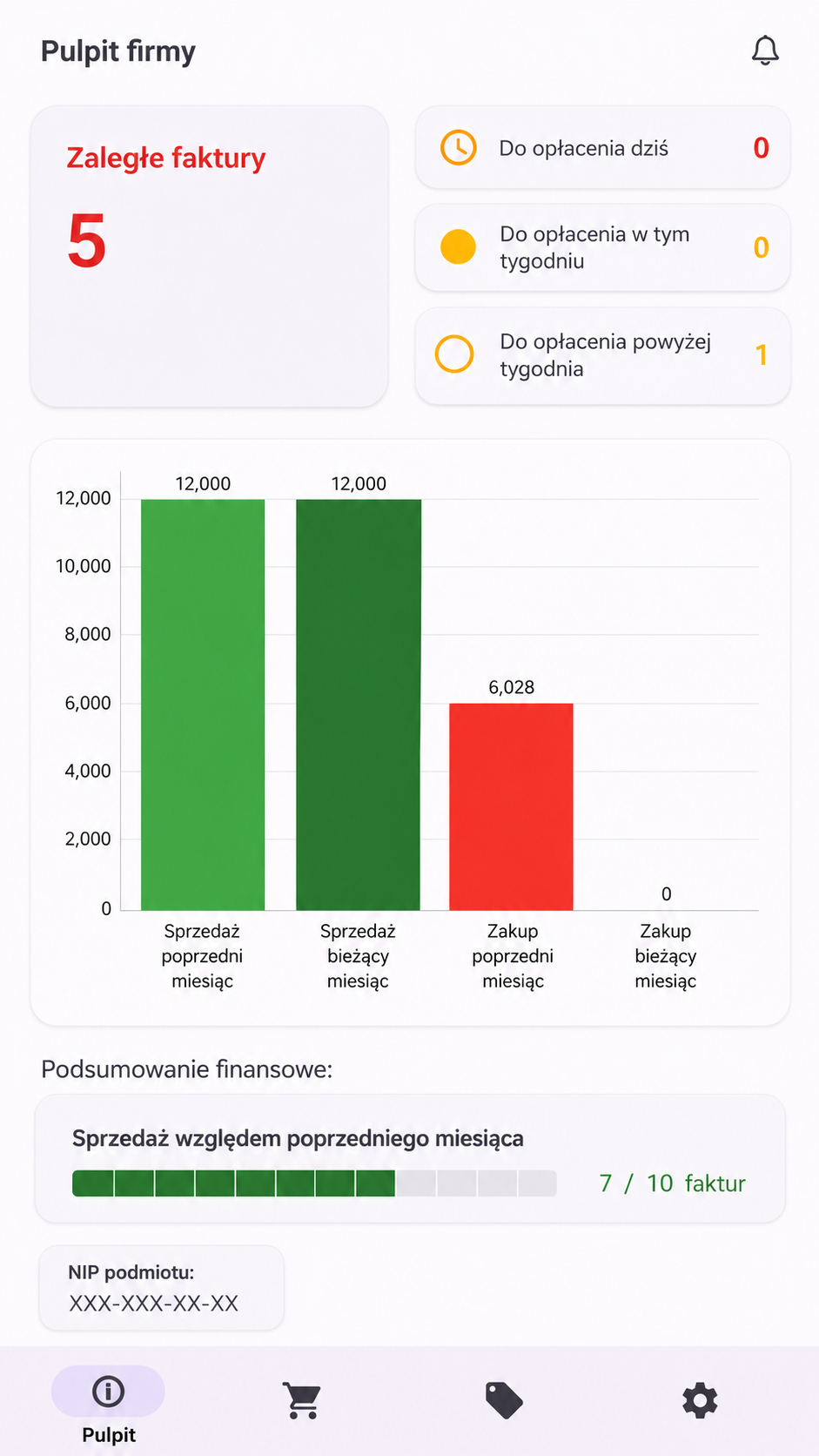
Check what arrived and what still needs your attention.
The supplier says the invoice is already in KSeF. Check whether it has arrived.
Wondering whether the seller has issued your invoice? Check your documents on your phone.
Review a sales invoice and mark it paid when the customer’s payment reaches your account.
Keep sales, purchases and payment checks together, with invoice data stored locally on your device.
See sales, costs and key invoice statuses in one place.
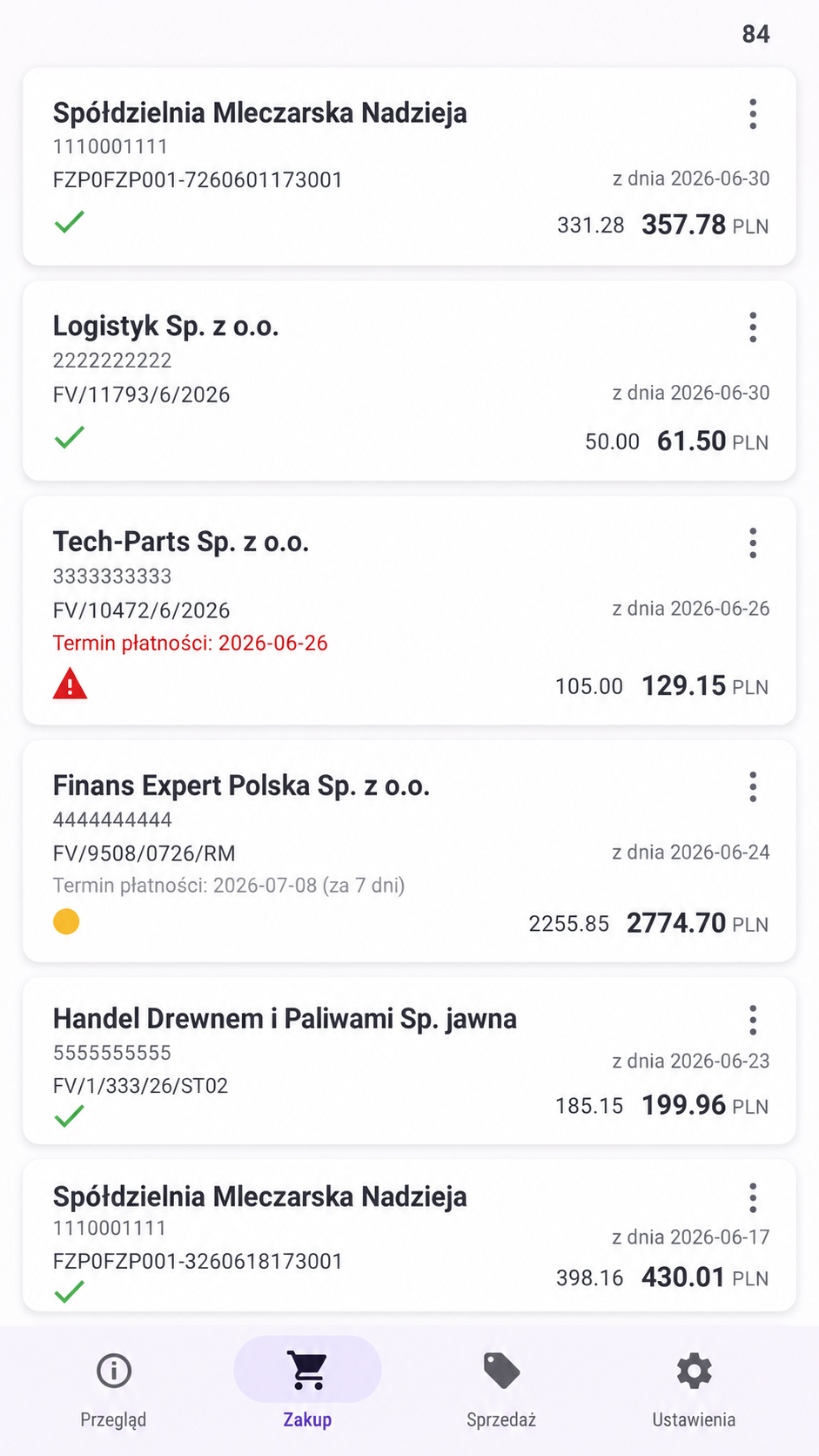
Review cost invoices retrieved from KSeF and check their payment status.
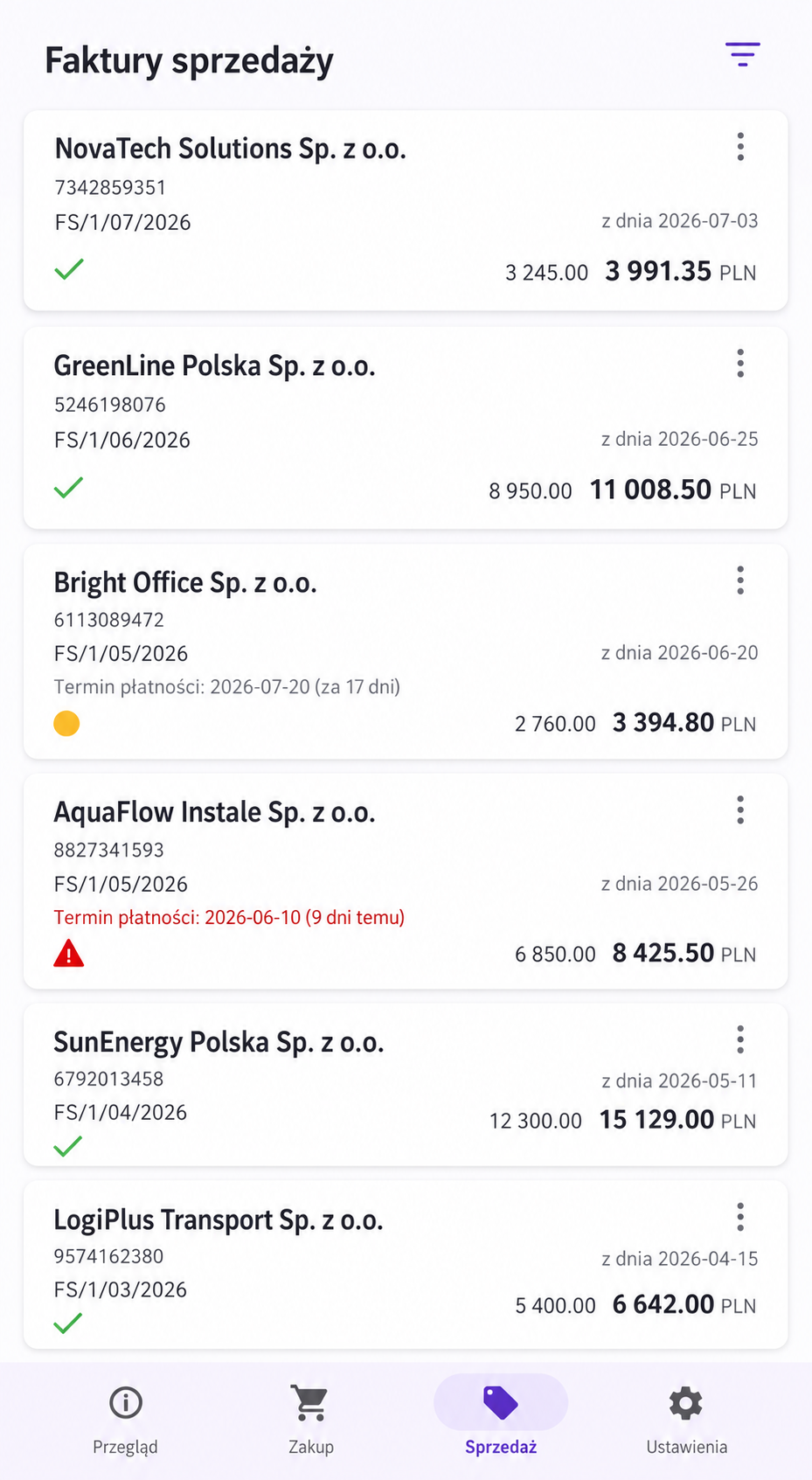
Issue sales invoices and corrections in KSeF, then track their status and record payments.
You need the appropriate KSeF permissions. A read-only token cannot issue invoices; generate a new token with the required permission. With a certificate, available actions depend on the permissions assigned in KSeF. Faktino does not initiate or authorise payments.
No Faktino account and no repeated portal sign-in.
Get Faktino from Google Play or the App Store.
Faktino supports a KSeF token and certificate. Permissions depend on the method and your KSeF authorisations.
Add your token or certificate in the app by following the on-screen instructions.
Check the company NIP and permissions before viewing or issuing documents.
Faktino currently supports one NIP at a time. For simultaneous management of several companies, choose software with multiple company profiles.
Local-First
Faktino stores invoice data and your KSeF authentication method locally. The app connects to KSeF directly from your phone, without an intermediary Faktino server or a Faktino user account.
Choose the store where you installed Faktino. The current price is shown there before activation.
20-day free trial
PLN 36.99 / month
or PLN 369.99 / year
The subscription is managed by the app store. Cancel it in that store; deleting the app does not cancel a subscription.
14-day free trial
PLN 29.99 / month
or PLN 299.99 / year
The subscription is managed by the app store. Cancel it in that store; deleting the app does not cancel a subscription.
Current KSeF synchronisation and invoice issuance require an active trial or subscription. Store terms and prices may vary; check the offer displayed in your store. Trial terms · Subscription terms
A quick guide to using Faktino with KSeF.
Faktino is a mobile app for reviewing purchase and sales invoices in KSeF, tracking payment status and issuing sales invoices and corrections. It is not an accounting service or a full bookkeeping system.
No Faktino account, email address or separate password is required. You connect to KSeF from your device using a supported token or certificate.
Invoice data and the KSeF authentication method are stored on your device. Faktino communicates directly with KSeF and does not send invoice content or your token or certificate to Faktino servers.
No. A token's permissions are selected when it is generated. If your token only allows invoice viewing, generate a new token with the permission to issue invoices. For a certificate, available actions depend on the permissions assigned in KSeF.
No. The current version supports one NIP at a time. It is not designed for managing multiple companies in parallel.
No. The app can prepare payment details in a QR code. Check and approve the transfer yourself in a banking app that supports the QR format.
You can continue viewing data saved locally. Current synchronisation with KSeF and invoice issuance require an active subscription after the trial ends.
Download the app and see how it fits your daily KSeF invoice workflow.
For help with the app, token or certificate setup, invoice issuance, subscriptions or data security, email support@faktino.pl. Never send your token, certificate or access credentials in a support message.